
Topaz Mask AI is a professional image masking tool. Compared with Photoshop, Topaz MaskAI uses technologies such as machine learning. Its functional brushes can handle details very well and can produce image masking effects such as landscapes, characters, and buildings in the shortest time.
Software Introduction:
Simplified mask handling
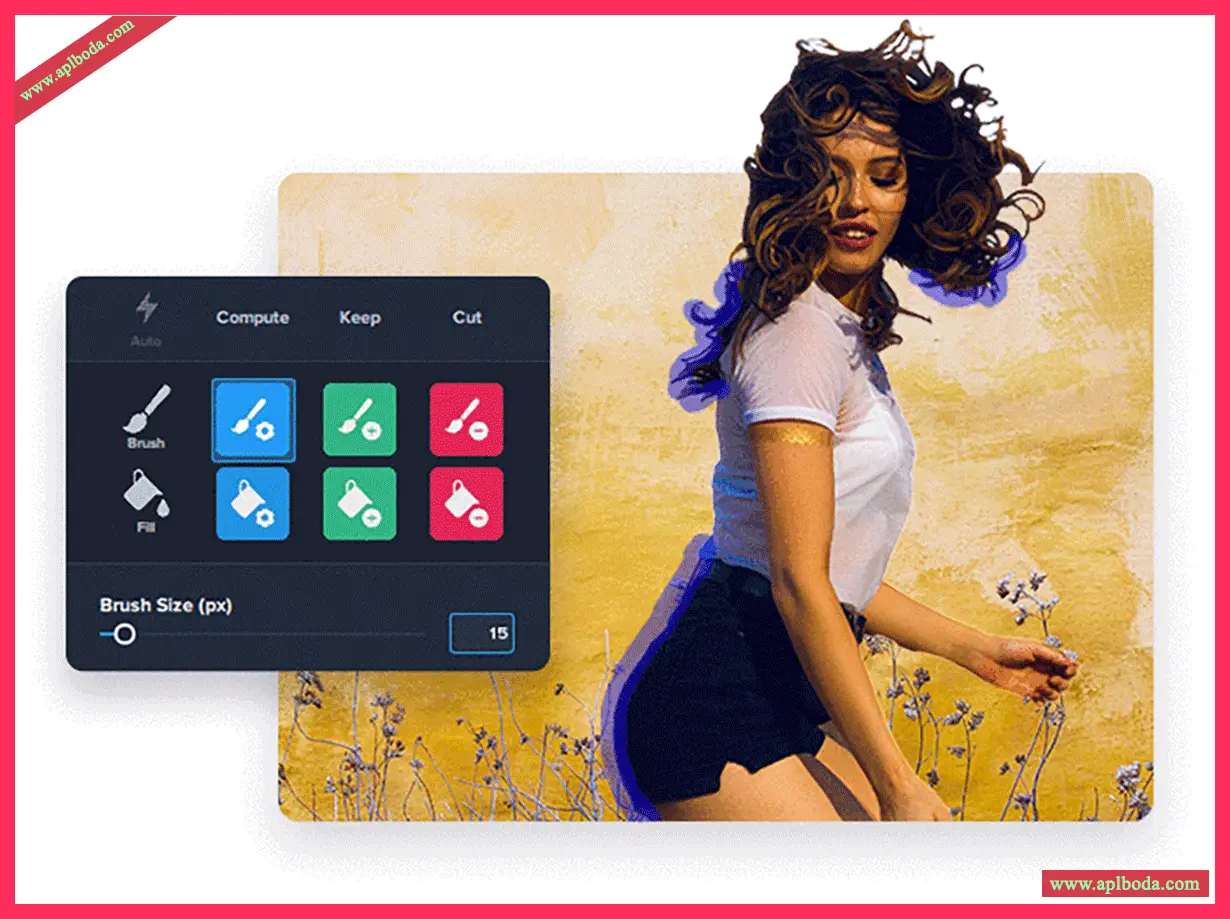
Compared to Photoshop, Topaz Mask AI doesn't require brushstrokes or a learning curve to create high-quality images. With MaskAI, you simply outline your subject in blue, then fill in the areas you want to cut and the areas you want to keep with one click. Then, click "Calculate Mask" to mask your image.
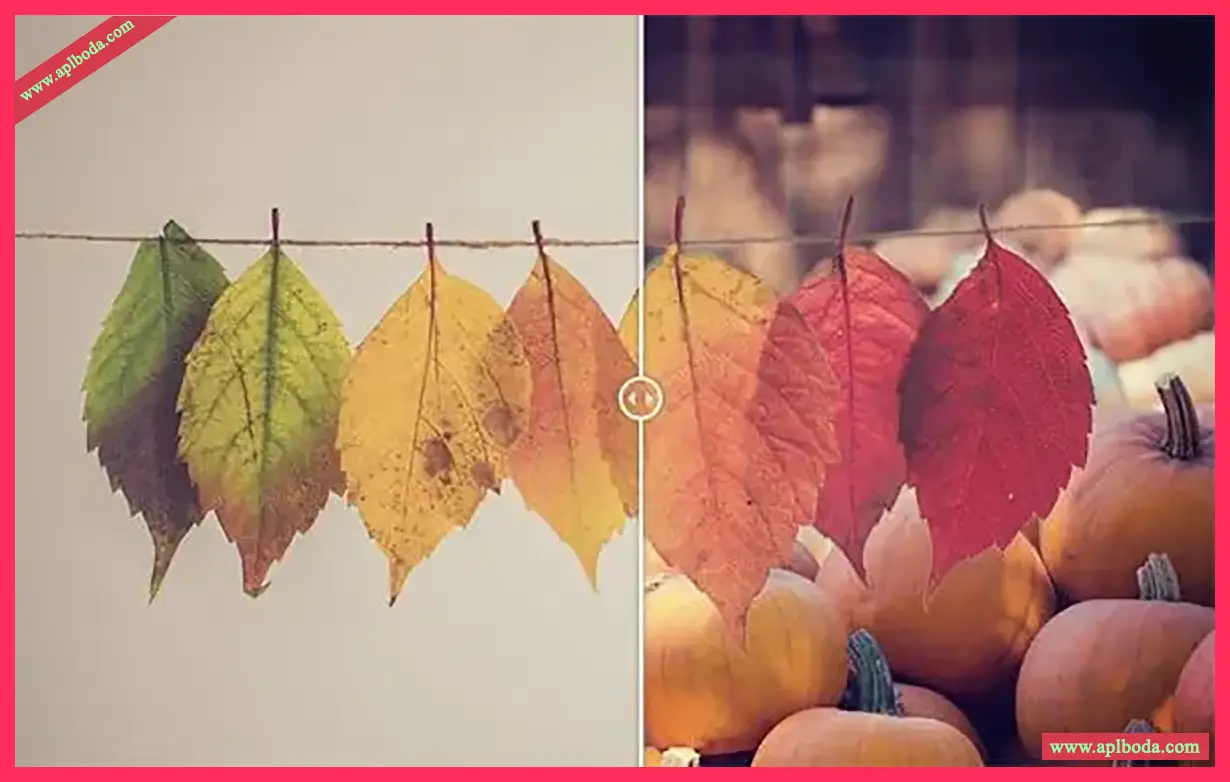
2. Masking makes every type of photo easy
MaskAI combines machine learning technology to achieve more accurate image results without the need for refining!
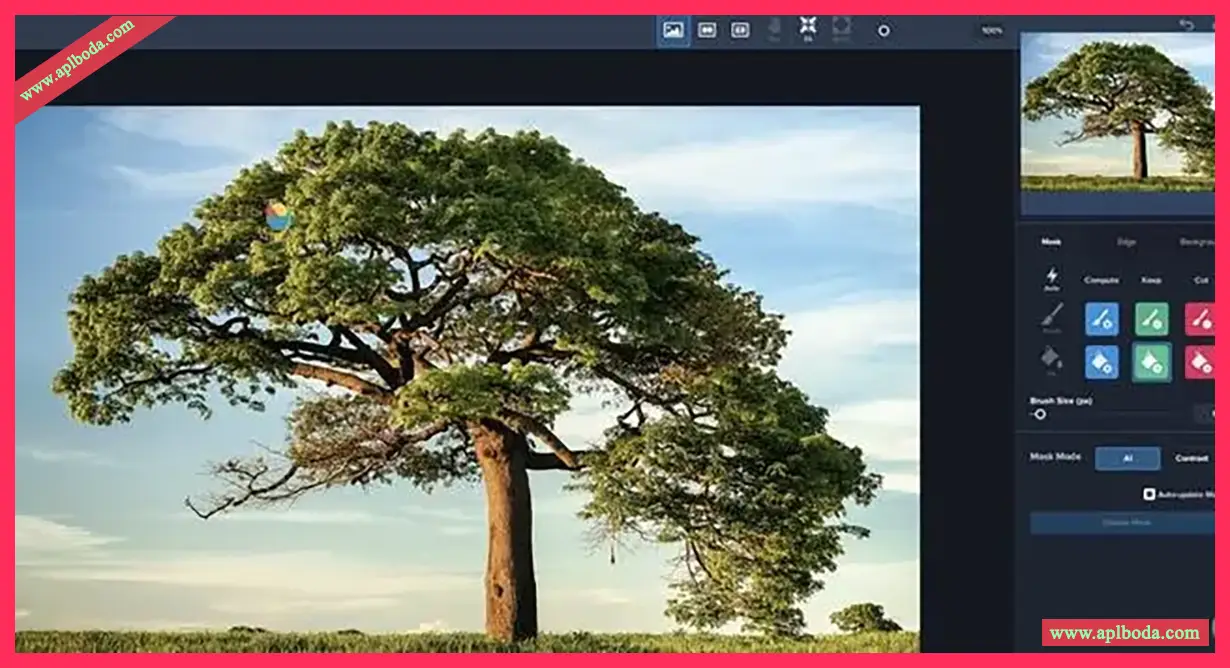
3. Unique Trimap Technology
Creating beautiful images in Photoshop may require professional knowledge and proficiency in the tools. However, with MaskAI, you can achieve it by simply saving, cutting, calculating, and replacing.
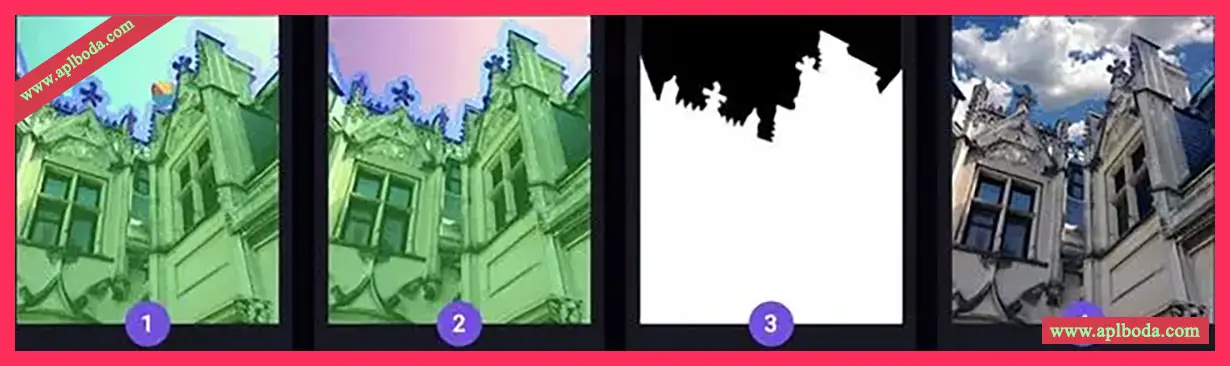
Tool Usage
Brush Calculation: To use it, simply draw a blue line around the edge you want to calculate, and Topaz Mask AI will use its powerful technology to complete the calculation. Select the red fill button to fill in the area you want to remove, and fill any areas to keep them green. Select AI or contrast mode to generate the required image range!
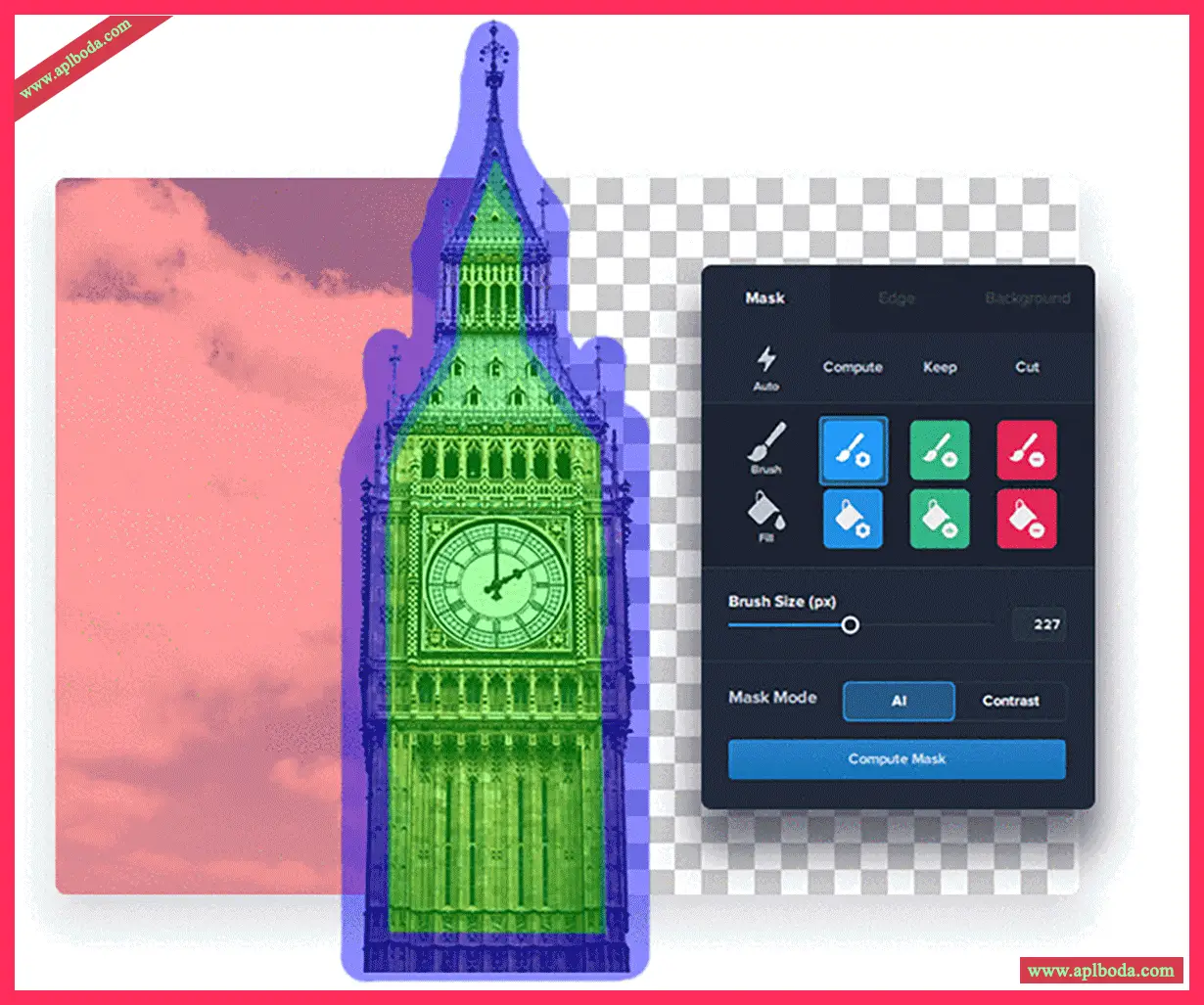
Fast processing
By using smart brushes (cut, save and calculate) and taking advantage of technology, you can get clean and accurate detailed images.
Perfect processing
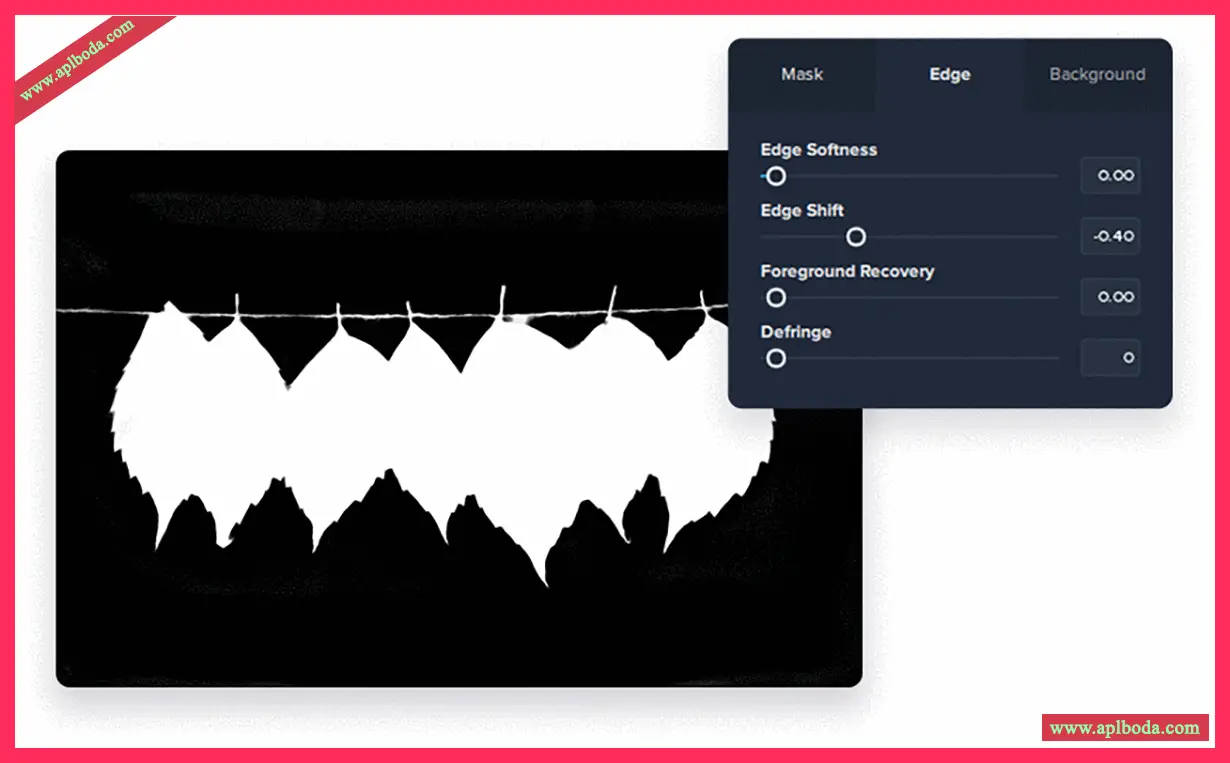
By using the post-processing sliders, you can refine the tool, such as quickly moving the edge of the mask to deal with small objects such as fur, beards, or fine hair.
Replace Background
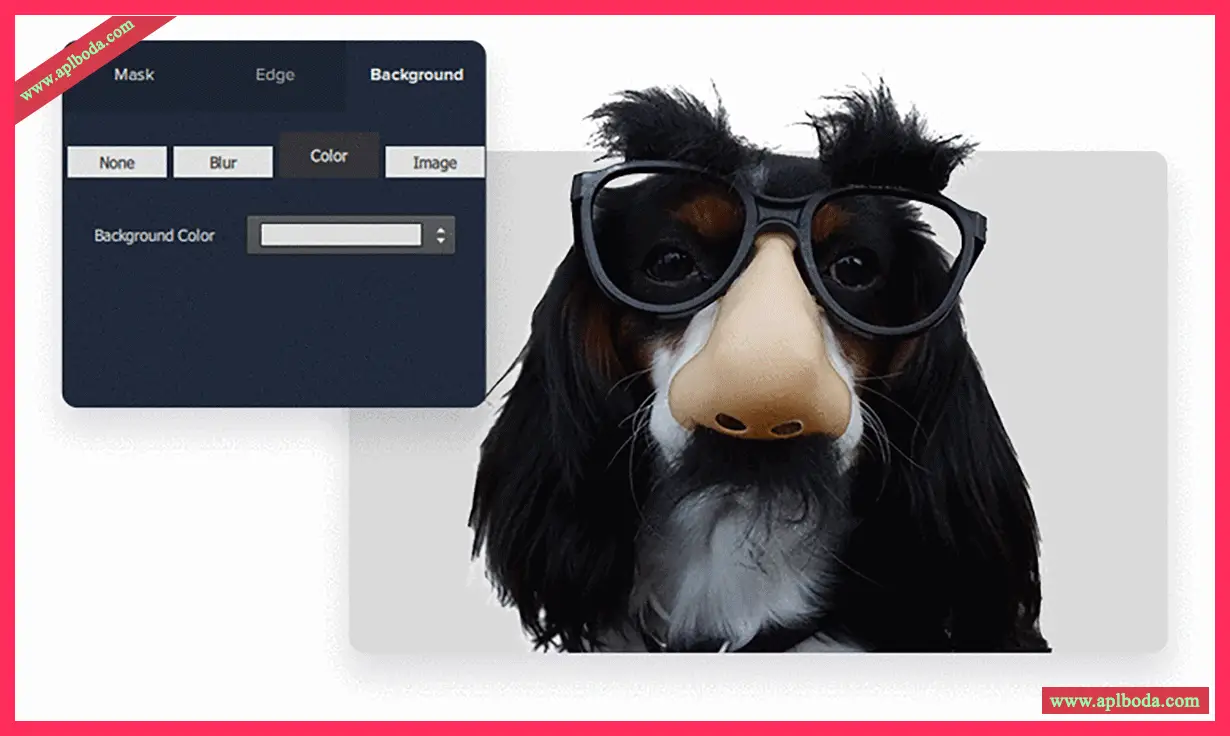
Unlike Photoshop background replacement, Topaz MaskAI uses machine learning and other algorithms to automatically replace the background and make it appear perfectly aligned. You can also choose to blur the background, or select a new image or a solid color for a completely new background look. In addition, you can also adjust the background or foreground, or your composite image to create a beautiful composite photo.
The above is an introduction to Topaz Mask AI software and how to use it. For more details, please visit the software's official website.
Disclaimer: All articles on this site, unless otherwise noted or tagged, are original publications of this site. Any individual or organization is prohibited from copying, misappropriating, collecting, or publishing this content on any website, book, or other media platform without our prior consent. If any content on this site infringes upon the legitimate rights and interests of the original author, please contact us for resolution.

 English
  简体中文
简体中文  香港中文
香港中文  繁體中文
繁體中文  Deutsch