
Adobe After Effects 2025 for win After Effects is a professional video post-production software. Use it to create cinematic titles, opening credits, and transitions. Remove objects from clips. Start a fire or make it rain. Animate logos or characters. Even navigate and design in 3D space. With After Effects, the industry-standard motion graphics and visual effects software, you can animate any idea.
2025 年 8 月版( 版本25.5)
2025 年 8 月版 After Effects (25.5) 包括工作流程改进和重要修复。
快速位移图层和关键帧
在 macOS 上按住 Command + Option,或在 Windows 上按住 Ctrl + Alt,然后拖动图层即可在Timeline面板中创建交错图层或关键帧动画效果。您选择的第一个图层将保持原位,而最后一个图层会移动您拖动的整个距离。在第一个图层和最后一个图层之间,所有图层将按均匀的时间间隔分布。
您可以使用相同的方法来错开关键帧 – 选择多个图层中的关键帧,然后按住键盘快捷键并拖动,以错开图层间的关键帧时间。
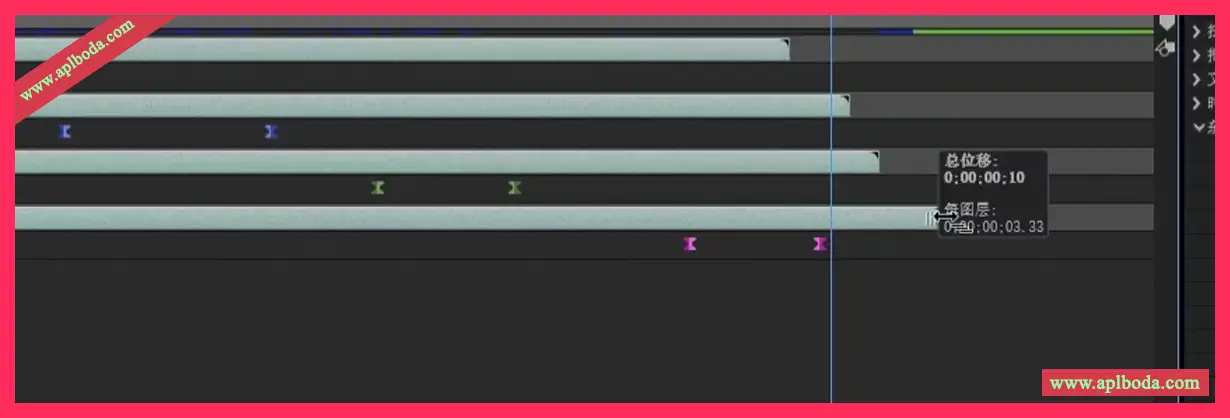
使用“总偏移量”和“单层偏移”中的时序信息可创建所需的交错效果,并确保图层间的精确间隔。
Fixes to improve efficiency and performance
快速偏移功能具备以下优势:
- 自动执行交错图层或关键帧的流程,无需在时间轴中逐个手动调整。
- 确保图层之间的时间一致,从而实现间隔均匀的平滑动画。
- 移动图层而不改变其关键帧动画,完整保留创意意图。
- 有助于打造自然流畅的节奏化动画效果,使其更加优质流畅。
仅复制和粘贴文本格式
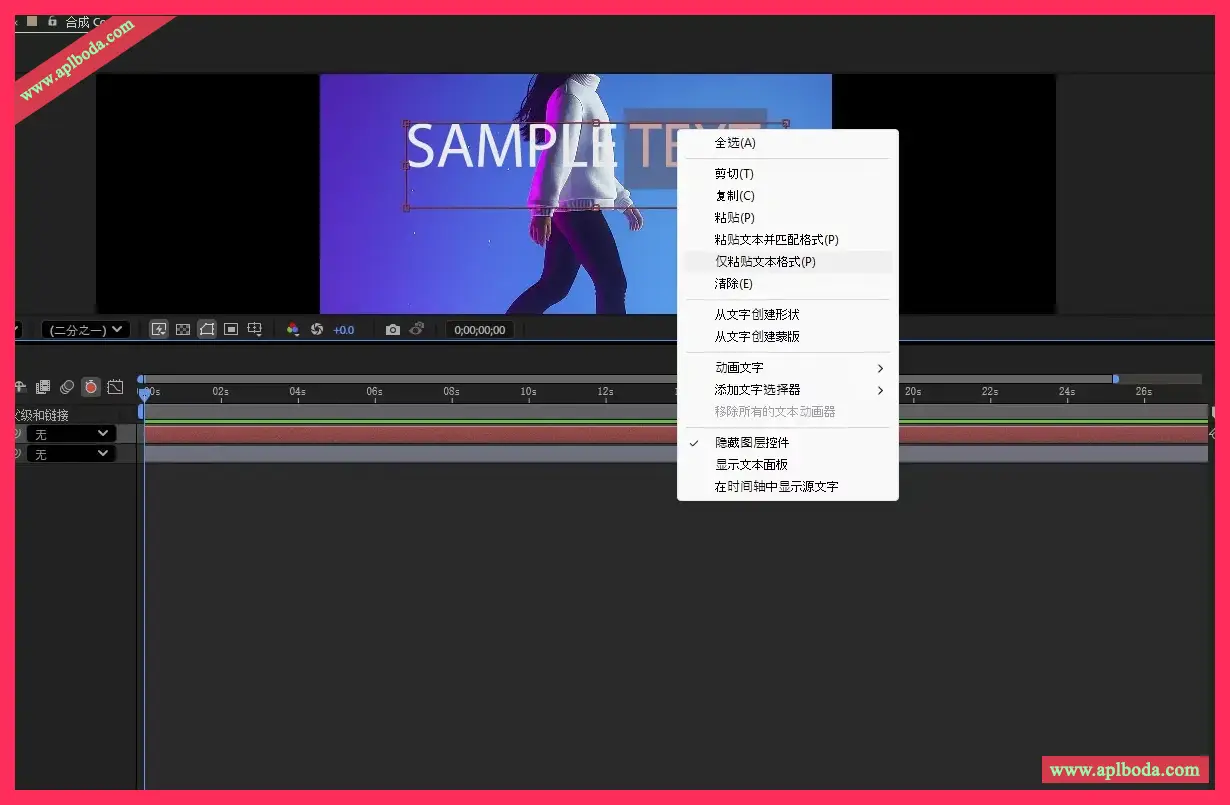
use仅粘贴文本格式功能可粘贴已复制的格式(如字体、大小、颜色和样式),而不更改实际文本。使用此功能,您可以在文本元素之间快速应用格式,而无需跨图层或在单个文本图层内手动匹配文本样式。这有助于保持一致的设计并节省时间,尤其是在内容各不相同但样式需要保持一致的包含许多文本图层的大型项目中。
复制带有所需格式的文本后,选择要应用格式的图层内的文本或整个文本图层,然后执行以下操作之一:
- 右键单击并选择仅粘贴文本格式.
- 选择edit > 仅粘贴文本格式.
支持 CICP 元数据
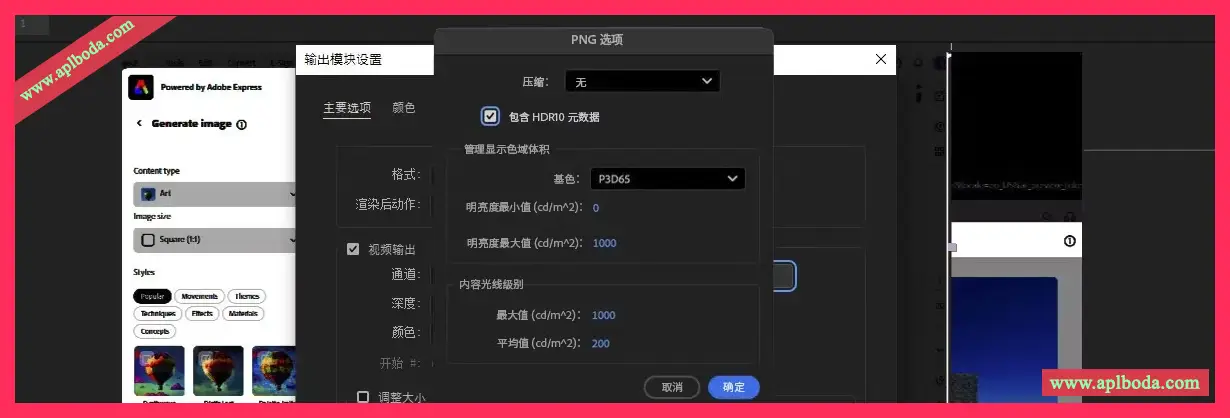
After Effects 支持导入和导出 HDR(高动态范围)内容,从而可以更轻松地在不同屏幕和平台中准确管理颜色。这得益于使用 CICP(独立于编码的代码点)元数据,无论在编辑到最终输出的任何阶段查看内容,都有助于确保颜色和亮度级别保持一致。
在应用效果之前了解效果
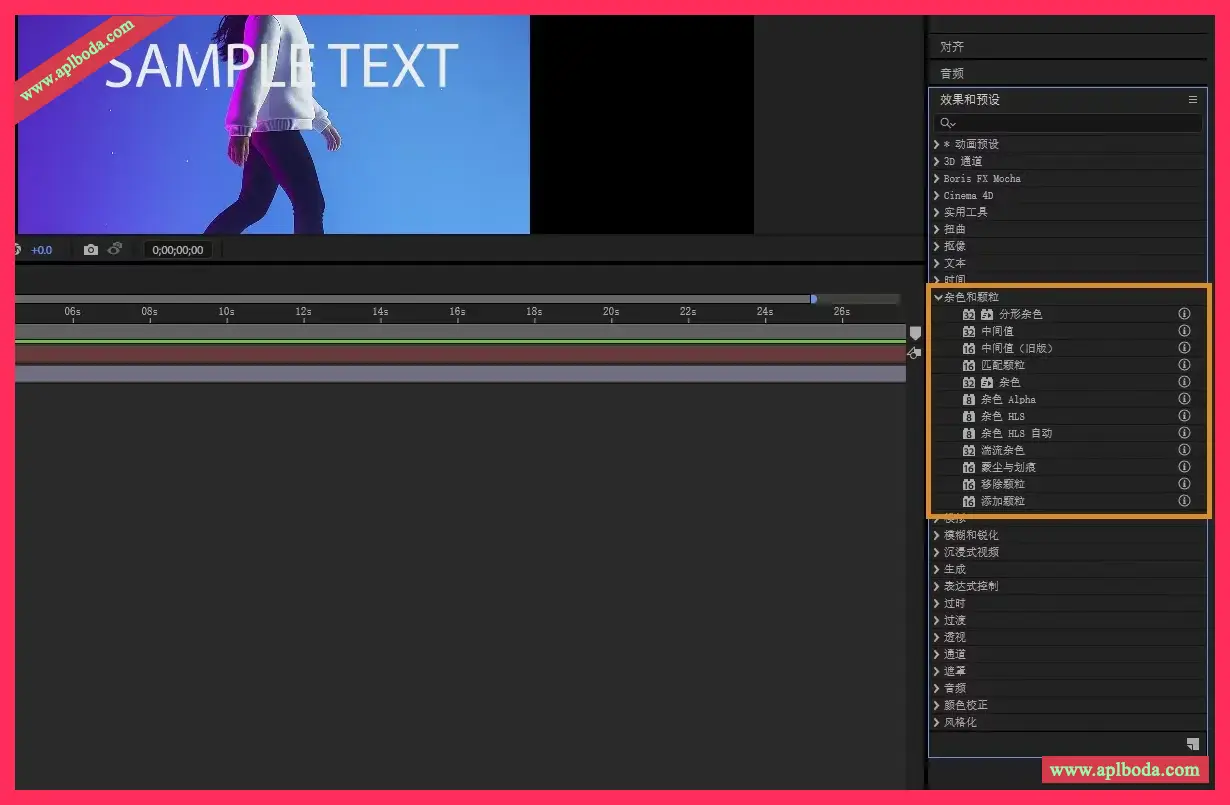
在为您的项目应用效果之前,最好先了解每种效果的作用。这种方法可以帮助您做出明智的选择,减少反复试错的必要。
为使操作更加简单,可以使用效果与预设面板中各个效果旁边的信息按钮。这些按钮可以链接到详细的资源,让您能够快速了解效果的用途和行为,而不会打断工作流程。
Other Updates
对需要重新启动才能生效的首选项或功能进行更改时,After Effects 现在会自动重新启动,无需手动退出并重新打开应用程序。这种无缝重启体验适用于多种场景,例如启用日志记录、安装脚本或 ScriptUI 面板、使用启动与修复功能,以及在效果管理器中切换效果。
Minimum and recommended system requirements for Windows
|
Minimum |
recommend |
|
|---|---|---|
|
processor |
Notice: 无法在 Intel® 第三代处理器或更早版本(以及更早版本的 AMD 处理器)上安装 24.x 及更高版本。 |
Intel® 11th Generation or later CPU with Quick Sync, or AMD Ryzen™ 3000 series/Threadripper 3000 series or later CPU |
|
operating system |
Windows 10(64 位)22H2 版或更高版本 |
Windows 10(64 位)版本 22H2(或更高版本)或 Windows 11 |
|
Memory |
16 GB RAM |
|
|
GPU |
Notice: 了解有关高级 3D 渲染器的具体要求. |
8 GB GPU 内存
|
|
storage |
|
|
|
Display |
1440×900 |
|
|
sound card |
Compatible with ASIO or Microsoft Windows Driver Model |
Compatible with ASIO or Microsoft Windows Driver Model |
|
Network storage connection |
1 GB Ethernet (HD only) |
10 GB Ethernet for 4K shared network workflows |

 English
  简体中文
简体中文  香港中文
香港中文  繁體中文
繁體中文  Deutsch