
Sketch 2025.2.2 for mac是最好用的矢量绘图软件!这是专为设计师而打造的矢量绘图软件,此版本为汉化版,拥有简约的设计,调色板,面板,菜单,窗口,控件和功能强大的矢量绘图和文字工具;包含针对UI设计的操作和交互模式,让你设计图标、移动手机UI、网站UI等更加简单高效。

## Easy installation of graphics processor with vector tools and multiple layers
Sketch is a lightweight macOS application that aims to provide these features in a clean, organized and stylish user interface. The application includes vector drawing tools, can handle multiple layers, allows you to define your own symbols, and more.
Finding your way around Sketch is fairly intuitive, but the developers also provide extensive online documentation: here you can learn how to work with layers, how to add and edit shapes, how to insert text objects, how to export specific layers, and much more.
Even without documents, you can start working on your job right away thanks to the intuitive user interface.
## includes basic vector drawing tools, but also includes powerful styling features
For your convenience, Sketch also includes a set of templates for various types of projects (iOS app icons, iOS UI design, Mac app icons, or web design) and a mockup (Welcome to Sketch).
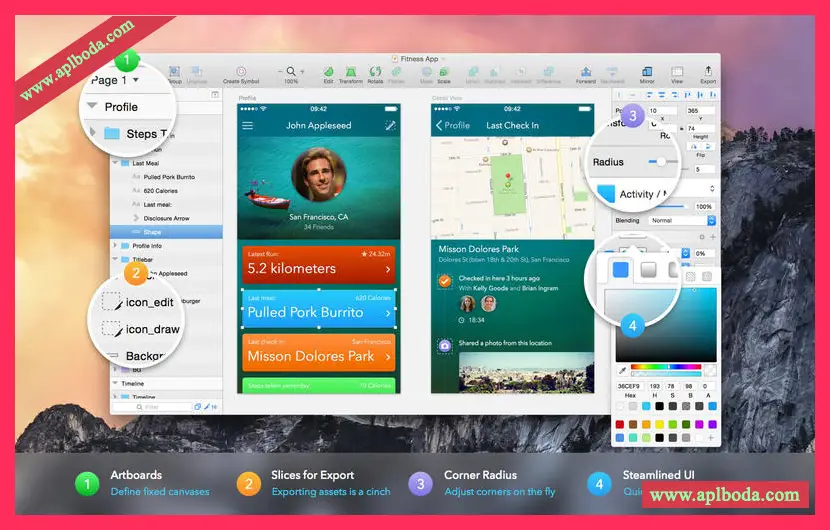
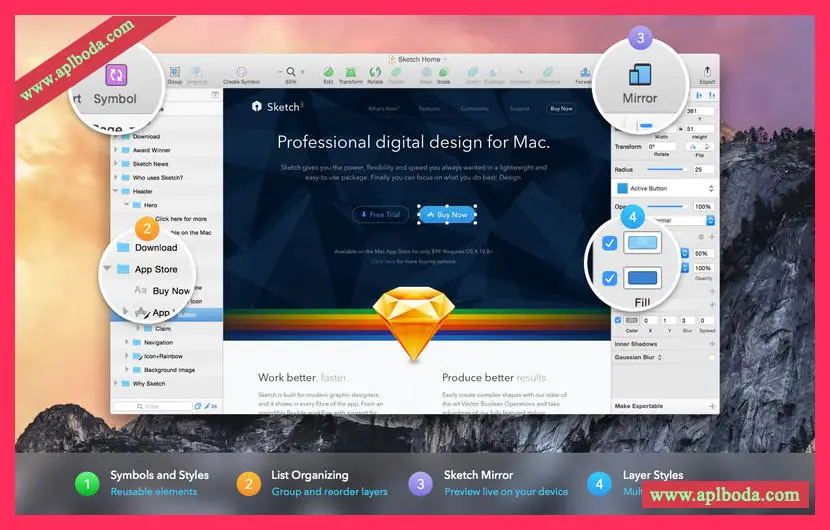
The Sketch main window is divided into several sections: the center is reserved for the canvas, the left panel displays the layer list, and the right panel provides all the properties and customization options for the currently selected object. Meanwhile, the top toolbar provides buttons for the most commonly used tools.
##Versatile graphics editor that enables you to work with multiple layers and vector objects without having to deal with complex workflows
Sketch features shadows, gradients, blends, and blur tools, allows you to create complex shapes by grouping multiple objects, comes with a powerful text rendering engine, and more.
Overall, Sketch offers a variety of efficient tools that allow you to immediately start working on graphical details for a variety of project types. Its low resource usage and intuitive, streamlined workflow make it a reliable companion for your design work.

 English
  简体中文
简体中文  香港中文
香港中文  繁體中文
繁體中文  Deutsch