
Autodesk Mudbox 2024 for Mac It is a digital sculpting and texture painting software that provides a set of intuitive and tactile tools for creating and modifying 3D geometry and textures. Use this software to create 3D geometry and high-quality textures for your next project. Take advantage of the intuitive environment and professional sculpting and 3D painting tools.
Mudbox 2024It is a product launched by Autodesk3D digital painting and sculpting software, similar to ZBrush. Digital modelers deal with demanding assets and need flexibility, speed, and the highest level of detail and sculpting quality. Texture painters need to create high-quality displacement, normal, diffuse, specular, reflection, gloss, or other types of texture maps for any 3D object. Sculptors want to take advantage of the many benefits of digital work without having to spend weeks learning software applications. Or concept designers who want to visualize ideas in 3D can use this software. The software is designed to provide users with leading functions and technologies. The accurate and powerful toolset can accurately create realistic and stylized characters and environments in a shorter time. Detailed sculpting of models, amazing textures can be painted, and high-resolution meshes can be created. The professional capabilities are suitable for various professional VFX and game studios! The software can fully control all details and make customized settings during use to ensure higher quality results.
Mudbox is a digital sculpting program similar to ZBrush. It's a cheaper CG sculpting program, so it's perfect for anyone on a budget or anyone new to 3D art. Mudbox connects to many other 3D programs for a very natural workflow. If you're interested in using this tool, please download it.

Official Overview
Digital sculpting is a common part of any 3D artist's workflow, especially when working with more organic objects. It's very similar to the process of sculpting with clay in real life, subdividing your model (essentially adding extra polygons), which allows you to add details that would be more difficult to achieve in a traditional polygonal 3D workflow.
Skymatter developed the software to enhance their creativity during the production of The Lord of the Rings trilogy, and it was first used as a full-scale production for King Kong (2005).
Version 1.0 was released to the public in February 2007, just before Skymatter was acquired by Autodesk in August of the same year. Mudbox is now a highly regarded piece of software in the industry, used by companies like Epic Games and Blur Studio. The advantage of using Mudbox lies in its powerful sculpting tools and brushes.
Typically, you would make a low-poly base mesh in traditional 3D polygonal software like 3ds Max or Maya. From there, you would import it into Mudbox to add more detail.
Once you have a base mesh in Autodesk Mudbox, it uses the Catmull-Clark subdivision algorithm to increase the polygon count while maintaining the essential shape of the mesh. This allows you to use sculpting tools to deform the mesh and raise or lower its surface.
Just like a real ball of clay, here you can push, pull, sculpt and add to the base mesh to add a lot of details. Its flexibility allows any artist to sculpt an entire bust from a simple sphere (a regular pra
Ctice project). This should only be used to add skin pores or other features to an existing model.
This offers more flexibility than traditional modeling techniques, and Mudbox connects with all Autodesk software, making it a powerful choice compared to other sculpting programs.
The real joy of digital sculpting lies in its non-destructive workflow. You can use layers to add and remove details, and if you don't like the result, you can always revert. This would be much more difficult in a traditional sculpting environment. For this reason, some people only use Mudbox for standalone work, such as for games or films. Since Mudbox is owned by Autodesk, the same company that develops 3ds Max and Maya, it's tightly integrated, allowing you to send models directly from polygonal software into Mudbox for sculpting.
Autodesk helps people imagine, design, and create a better world. From design professionals, engineers, and architects to digital artists, students, and hobbyists, everyone uses Autodesk software to unleash their creativity and solve important challenges.
Best brushes based on workflow
Improve brush-based workflows by using low-resolution and low-bit polygons and textures.
Sculpting Aging Options
For the brush, choose Option Falloff or Surface in addition to the default blending mode.
Brush relaxation
Use surface relaxation that constrains the new surface to balance the spaces between vertices with only minimal changes to the original form of the mesh.
Swipe, grab
The Grab Twist tool helps you twist all vertices within the sculpting brush circle to the right or left. Use it to create soft serve objects like ice cream, rotate the ears and eyes of a character's head, or twist a character's mouth to create a smile or frown.
Toolkit Professional Digital Sculpture
Get fast, smooth and accurate results.
Paint directly on 3D models
True 3D drawing on multiple channels in multiple formats.
Precise Texture
Create accurate maps of normal travel, displacement, and ambient occlusion.
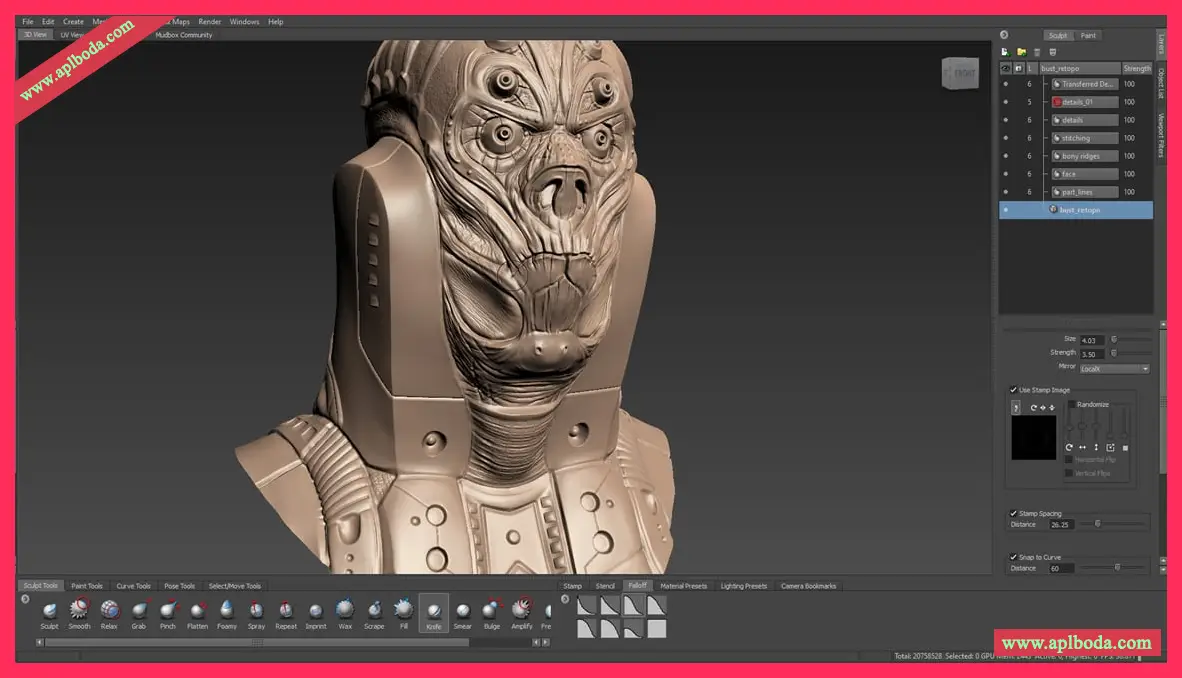
Software Features
1. Design
Start with a basic mockup template and explore dozens of different design directions.
Import polygonal models from other 3D applications using OBJ format or Autodesk's FBX® file format.
Import cameras and image planes from other 3D applications using Autodesk's FBX® file format.
Use the posing tools to position and deform components of your model or character.
Use Mudbox's powerful 3D layers to version control your design ideas or combine different designs non-destructively.
Using subdivision levels allows you to preserve surface details while making broad changes to the coarse form underneath.
Properly evaluate designs by working in true perspective. View designs through different lenses by adjusting the camera's field of view.
Create multiple cameras or camera bookmarks to quickly jump to common viewpoints or areas of your model.
Import models from other 3D applications such as Autodesk Maya, Autodesk® 3ds Max, and Pixologic™ ZBrush® for sculpting in Mudbox using .obj or .fbx file formats.
The output is a model that can be fed into another application and rapidly prototyped for client evaluation, or passed directly downstream to other digital departments for assembly, rendering, and testing.
2. Details
Use layers to isolate surface details (holes, veins, scars, etc.) for easy and non-destructive editing, or to provide different atlases for different channels in your material.
Use the Knife tool to cut through dense meshes and create crisp, clean lines.
Sculpt all details directly in 3D, avoiding 2D projections, and using Mudbox's stamps and templates for 3D sculpting.
Detail both sides of your model in natural (asymmetrical) or client-approved character poses using Mudbox's unique tangent-based symmetric sculpting.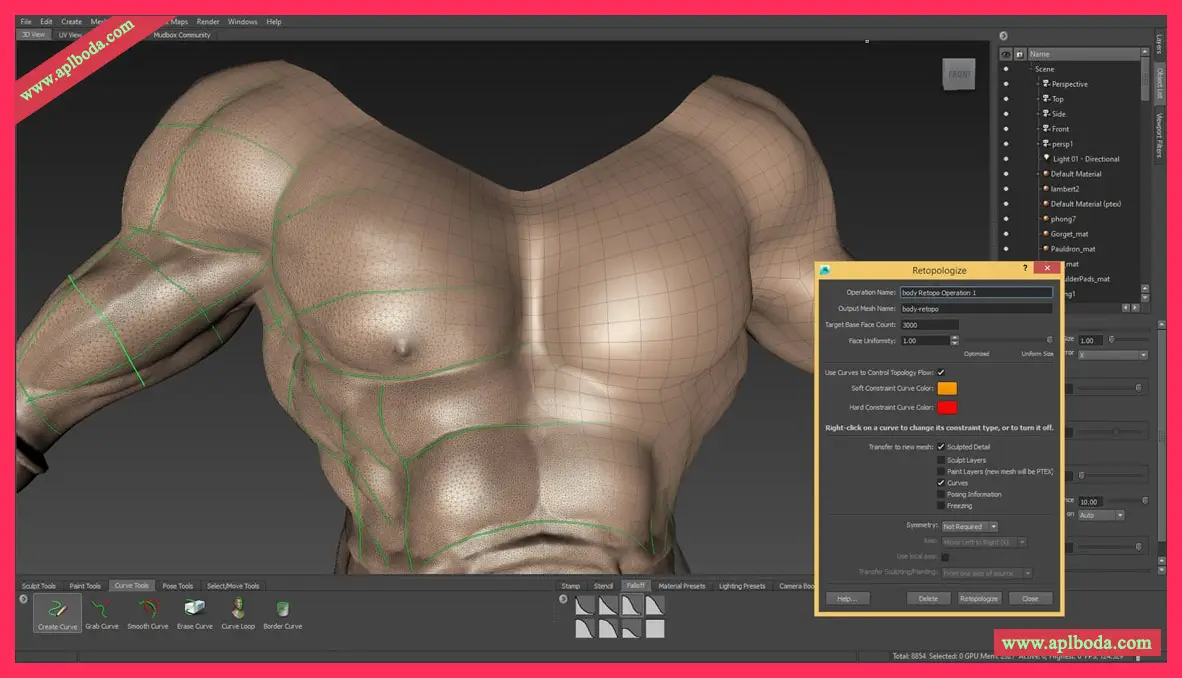
3. General carving
Use Mudbox's falloff curves to accurately shape the tips of sculpting tools by controlling the build form. Cut sharp wrinkles into the mesh with one stroke.
Import and create multiple objects in the mudbox. Manage them through the traditional object list, select, hide and lock anything you like.
Maximize your workspace and keep your cursor over the model while you work by using Mudbox's traditional 3D camera controls and its helpful selection features.
4. Painting and Texturing
Apply paint directly to your 3D model in Mudbox. In the background, Mudbox generates a bitmap image that you can use as a file texture or image map when rendering in other 3D applications.
You can use the Projection Brush to project an image onto a model, to apply its properties (graphics, decals, and so on) to the model using a brush stamp or stencil.
Models can be rendered in various resolutions and color bit depths depending on your requirements.
You can apply paint using a bump map to create a textured appearance.
Paint layers can be reordered above or below each other.
You can duplicate a paint layer and drag it to another paint channel. For example, you can drag a diffuse paint layer into the bump paint channel to create a perfectly registered bump map from the paint map.
High-resolution images can be painted on models that use UVs in tile space outside the range of 0 to 1. This allows you to distribute the UVs of a model across multiple high-resolution image maps.
Use the UV View to view the 2D painted bitmap image in relation to the model's UV texture coordinates.
Create or edit textures using Adobe® Photoshop, and move paint layers and paint channels between Mudbox and Photoshop® in a seamless workflow.
Export paint layers with your model for use in the FBX® format in Autodesk® Maya®.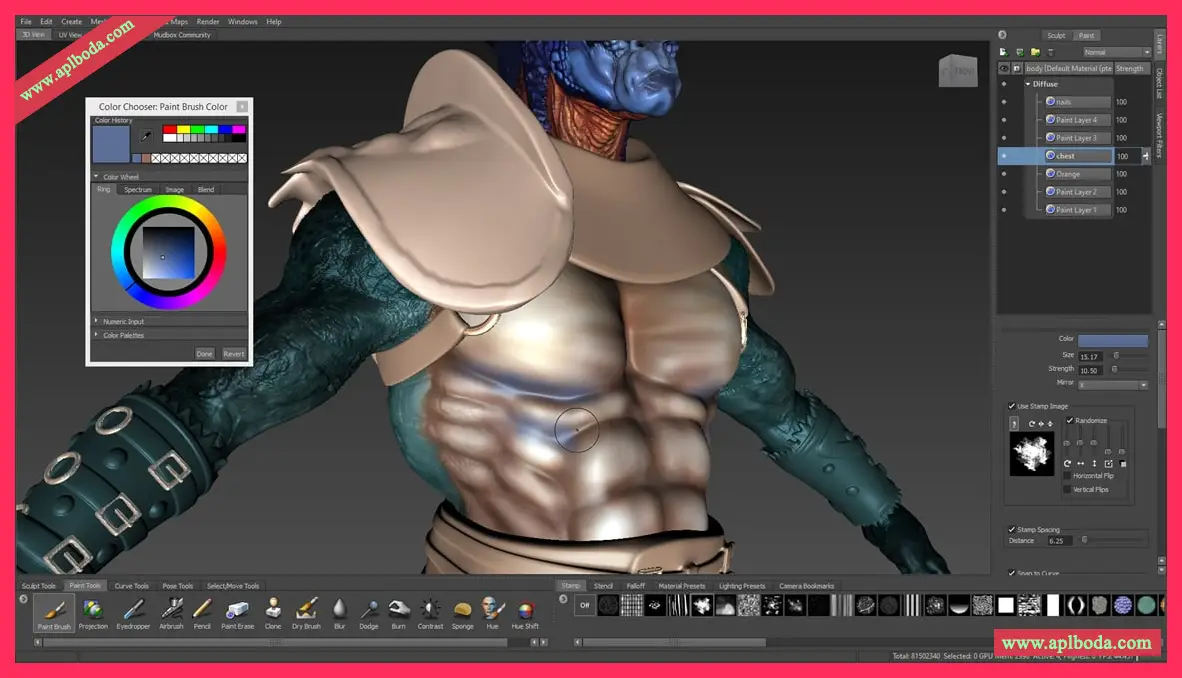
5. Introduction
Interactively manipulate real-time shadows, lighting, and shading effects displayed in 3D environments (with support for HDRI lighting).
Apply and edit material properties such as color, reflectivity, glossiness, and bump, and use images as texture maps similar to other 3D applications (qualified graphics cards support the CgFX material specification).
Apply real-time viewport effects such as ambient occlusion, depth of field, and non-photorealistic effects that appear even when editing models in the 3D view or placing, tracking, and tumbling them.
Generate normal maps directly from objects placed in the 3D View to use as simple texture maps without having to extract them.
Generate depth maps from sculpted items in the 3D viewport, which can be used as stamps, stencils, or displacement maps in Mudbox.
Generate vector displacement maps from sculpted details that can be used as brush stamps and stencils to create 3D details.
Save high-resolution images of your working views for use with other applications and presentations.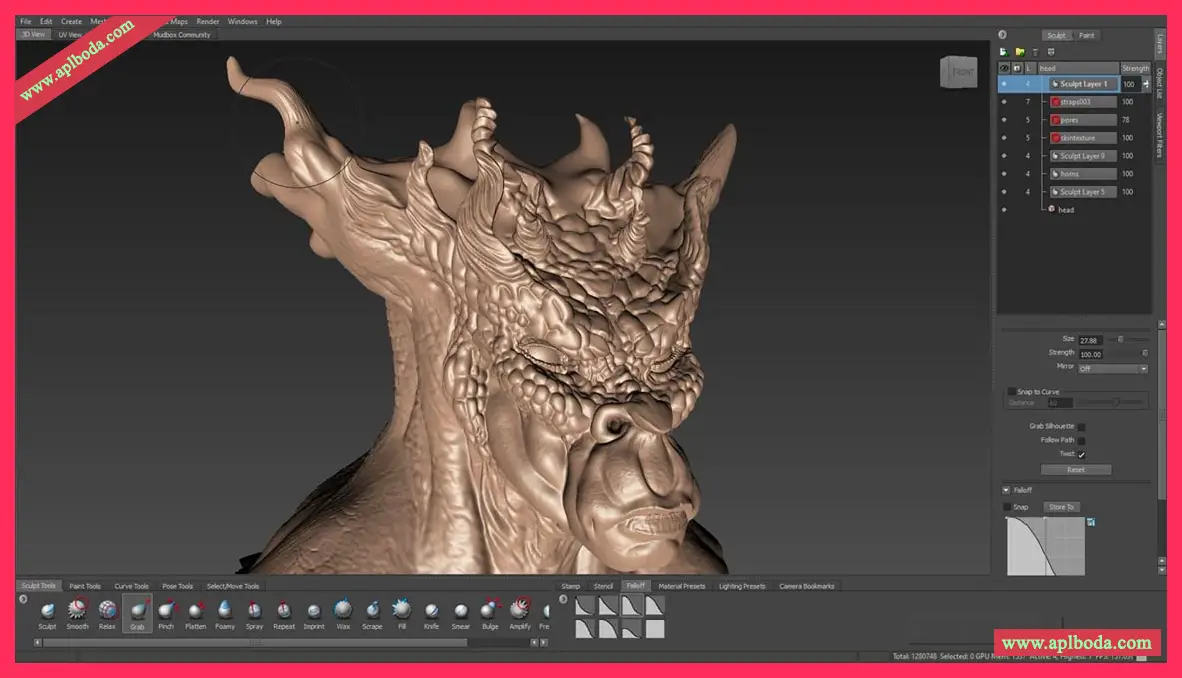

 English
  简体中文
简体中文  香港中文
香港中文  繁體中文
繁體中文  Deutsch