
SQLPro for SQLite for Macis a powerful SQLite editor that gives you full control over your database. The application can perform everything from basic data filtering to advanced multi-query operations. With its intuitive user interface, you can do anything with this application.

Key Features:
Semi-automatic dependency resolution
Ability to roll back to previous versions
Reorder columns
Full screen support
Export data to CSV, MySQL, XML, JSON or WML
Powerful filtration system
Key Features of SQLPro for SQLite
Accessing, viewing, and editing tables
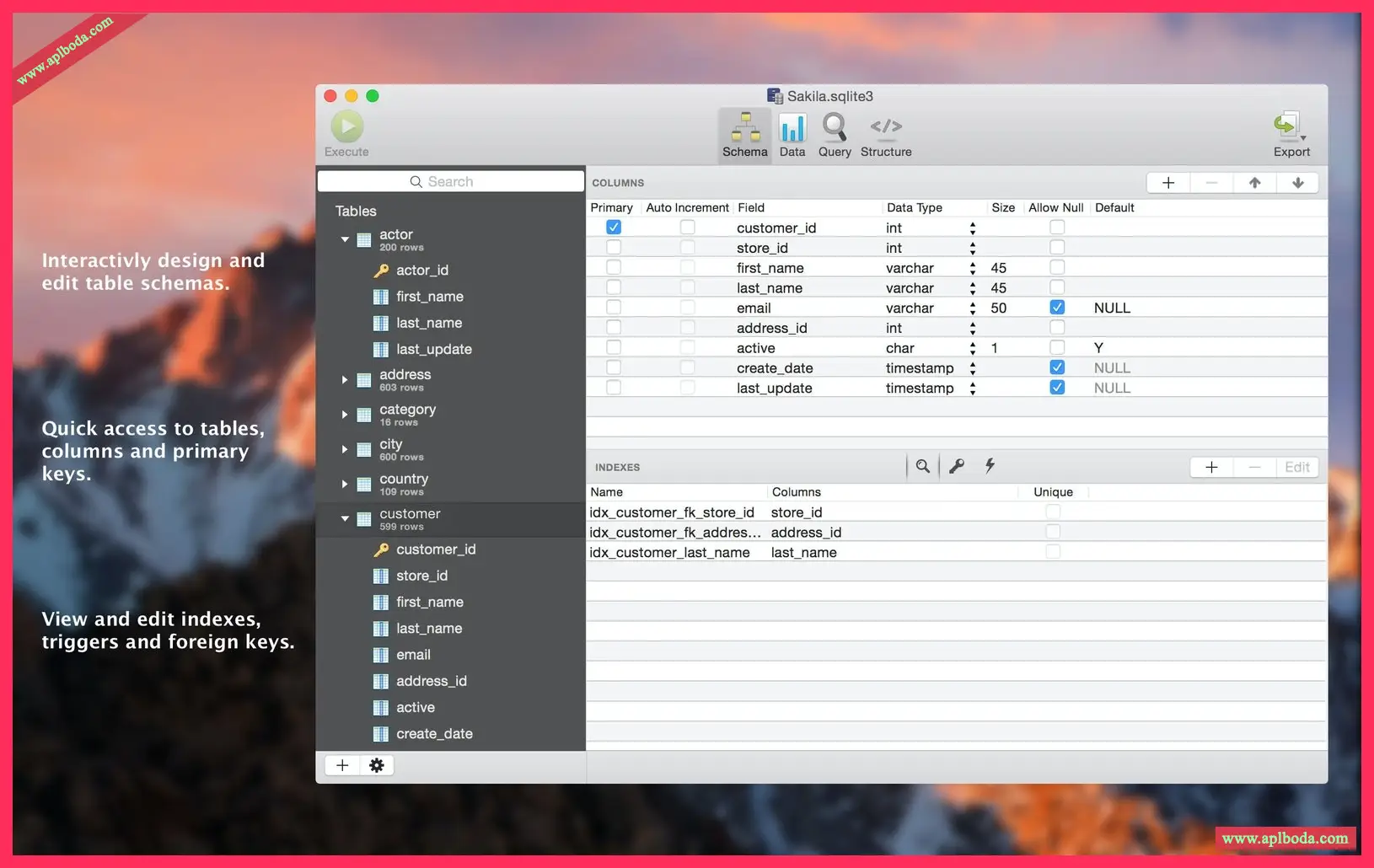
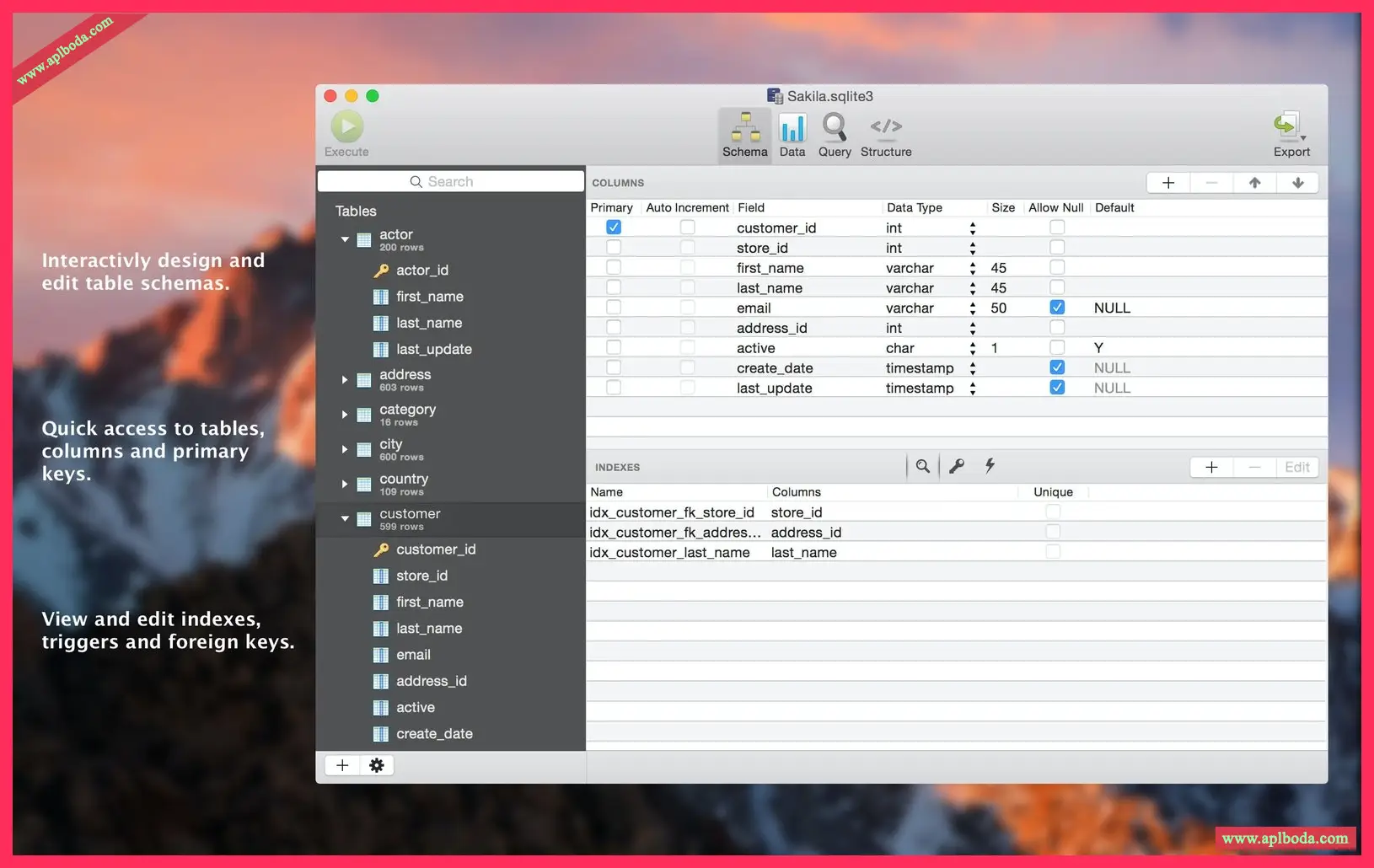
All the tables are right in front of you. SQLPro for SQLite gives you access to tables and schemas that can be customized to your specific requirements. View and edit foreign keys, triggers or indexes – the application guarantees the creation of a data environment tailored to your needs.
Gain insights into your data
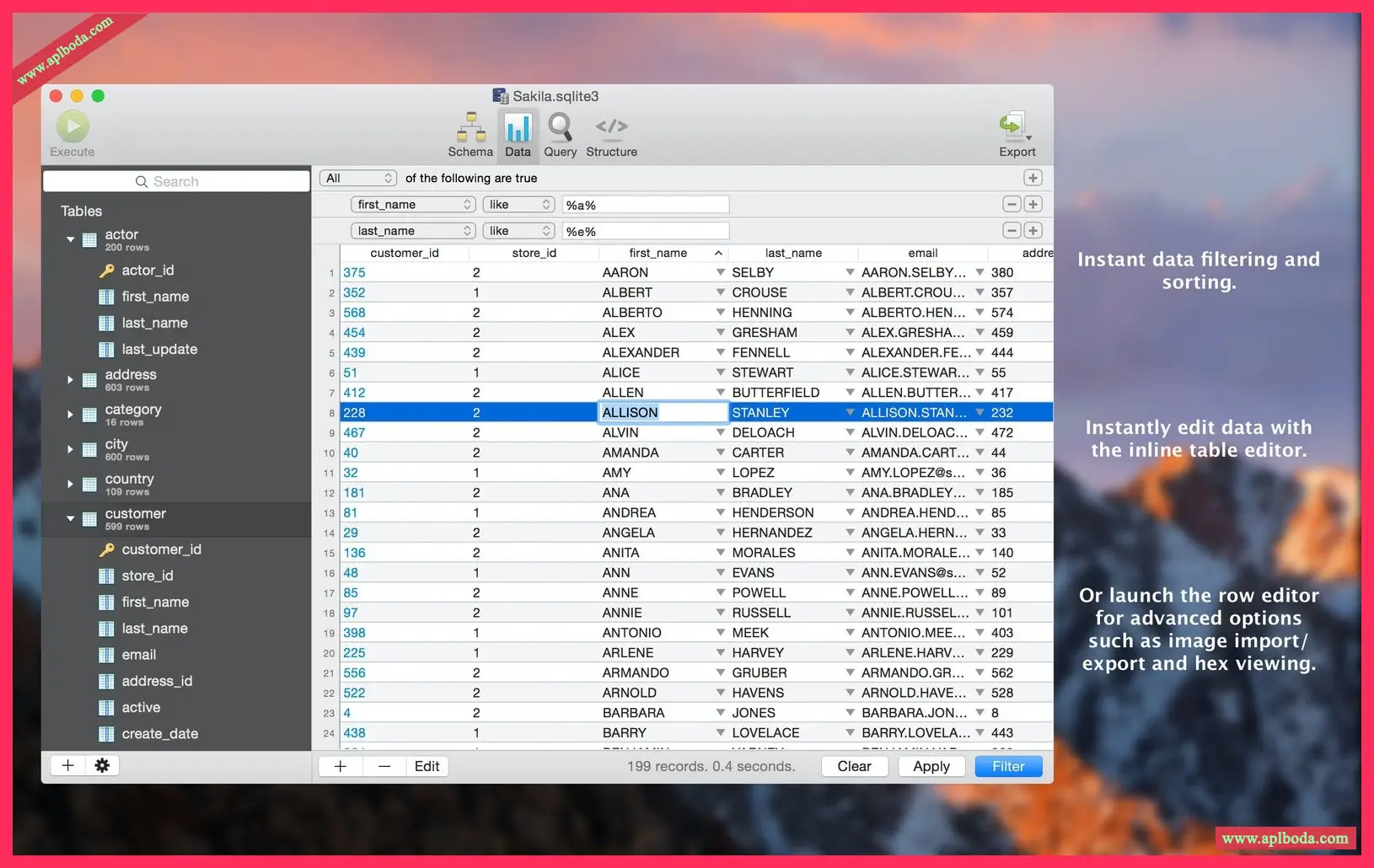
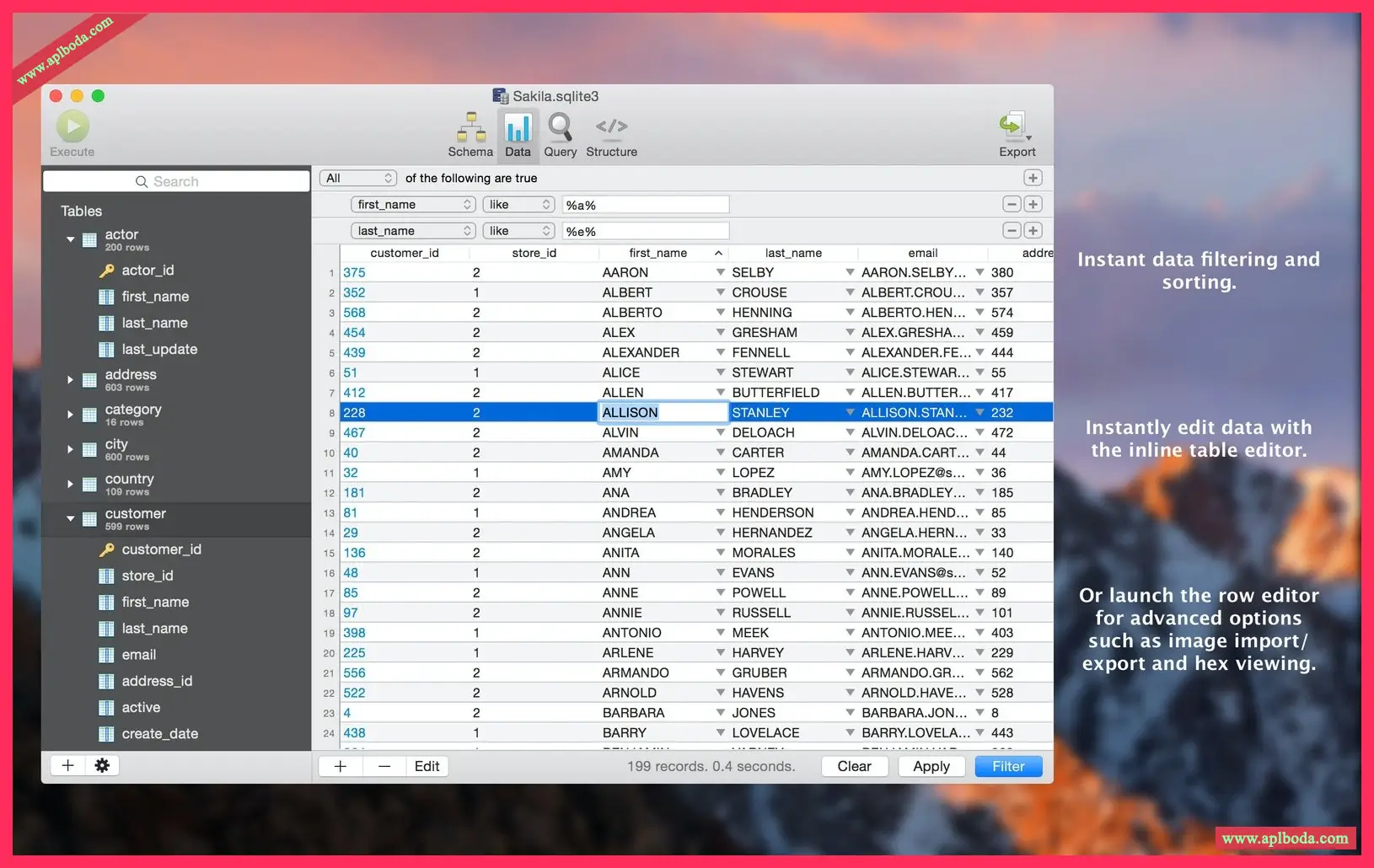
No longer will you be confused by the many names and IDs of your database. With the help of filtering and sorting data, you can easily find everything you need. Use the built-in table editor for quick editing, use the string editor to apply hexadecimal lookups, and export to CSV, MySQL, XML, or JSON for distribution.
Save frequently used queries
SQLPro allows you to save queries for later use and track a history of recently used queries. To highlight a specific query, go to the Queries tab and select Favorites > Edit Favorites/Add Current Query to Favorites. In the same tab, click History to view, edit, or copy recent queries.
Syntax highlighting and IntelliSense
Even beginners can easily write queries for SQLite in SQLPro. The application supports syntax highlighting and auto-completion of queries, which will make them easier to understand and help avoid errors. You start typing – the application immediately receives your request.
Making multiple requests
One isn't enough. SQLPro for SQLite teaches you to become a database expert. Experts don't do repetitive tasks. Run multiple queries simultaneously and retrieve results from different tables. An all-in-one app.
Integration with macOS version
SQLPro for SQLite will make sure you don't miss anything. Even if you accidentally reduce a table or lose your schema, the application will recover your data. Thanks to the integration with Versions, you can easily roll back your SQLite database to a previous state.

 English
  简体中文
简体中文  香港中文
香港中文  繁體中文
繁體中文  Deutsch