
Qbserve is an automatic time tracker for Mac.

We all want to spend less time distracted. Qbserve can help with that. It tracks what you do on your Mac and gives you ongoing feedback on your productivity. This way, you can stay focused and develop better habits.
Qbserve automatically tracks working time and can generate invoices based on the collected data. No need to remember to start and stop time tracking.
Accurate working time monitoring
Qbserve integrates with macOS to provide you with the following features
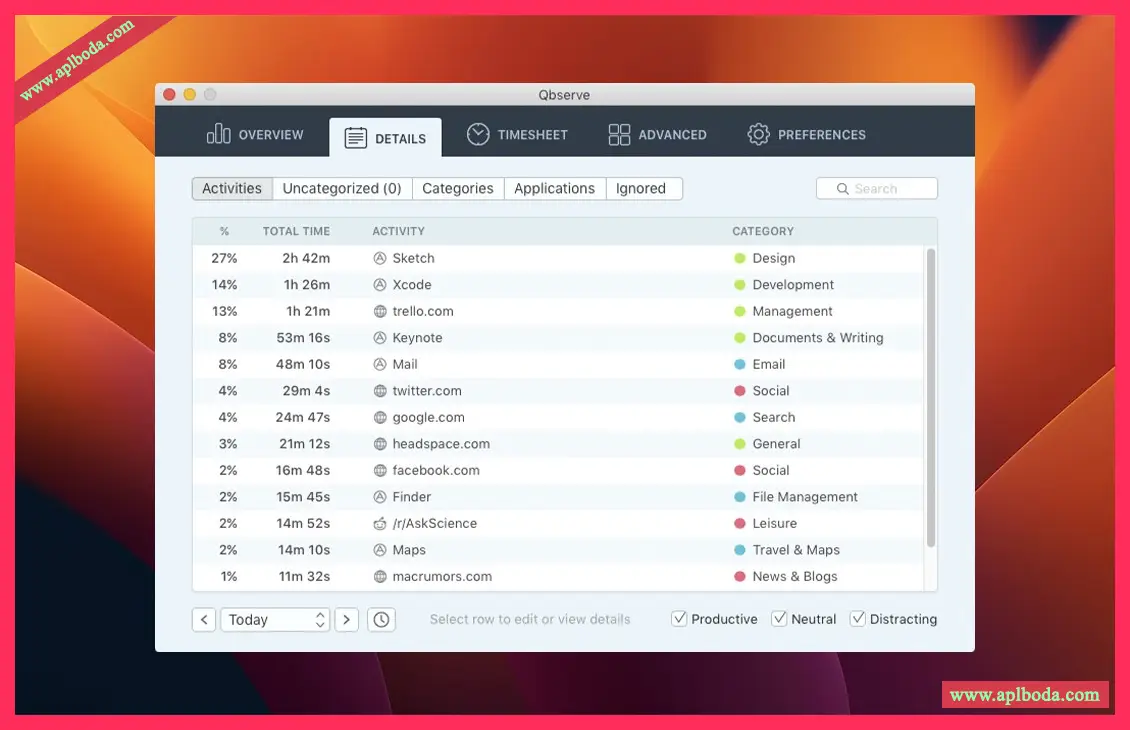
– Automated performance analysis of over 7,600 websites, applications, and games.
– Track projects based on open web pages, documents, and window titles.
– Separate recording of Slack commands and YouTube videos.
Reports and Timelines
Understand how you use your time and improve your workflow
– Detailed productivity reports over days, weeks and months.
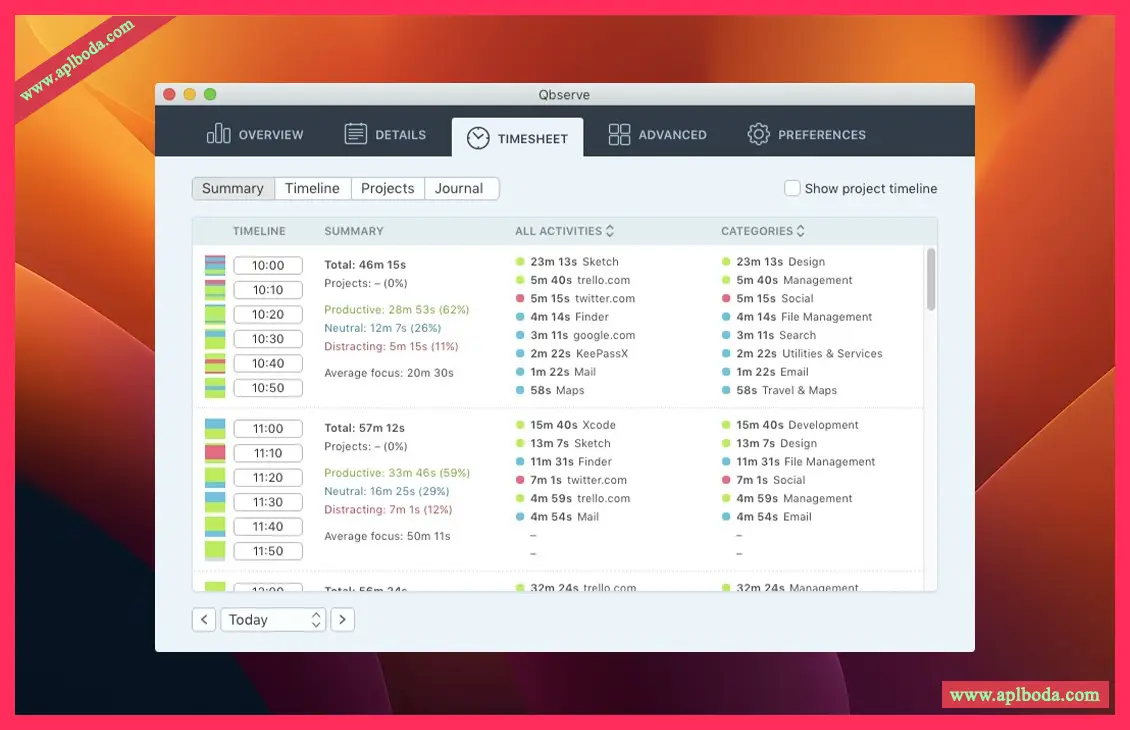
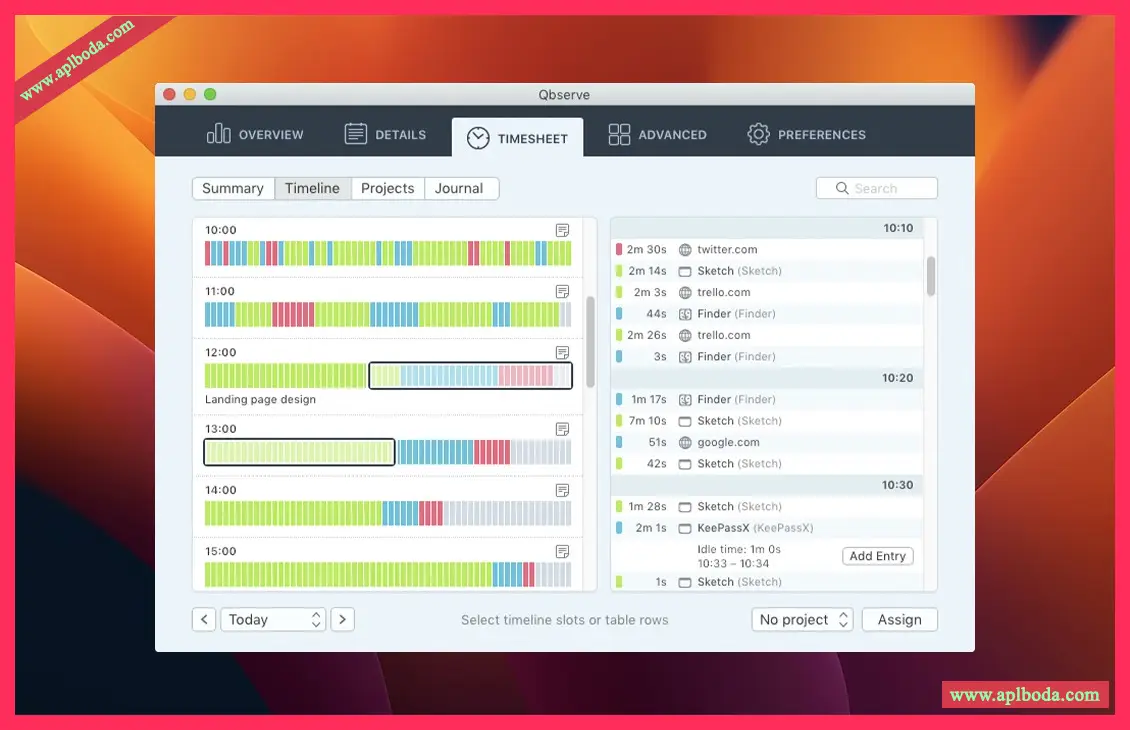
– Timetable with activity summaries, schedules, and hourly notes.
– Generate invoices in 18 languages and export data to JSON and CSV.
Privacy and accessibility
Your privacy and budget are important to us
– All tracked data is stored locally on your Mac and is not shared anywhere.
– Option to ignore private browser tabs or pause tracking.
– No subscription required. Qbserve costs less for a year than most other time management software.
Real-time feedback
Qbserve helps you focus on your work with multiple reminders so you can be productive and undisturbed.
Dynamic Icons
Qbserve provides you with a performance score that you can always see in the menu bar. Its icon changes color to reflect your performance.
notify
You can set alerts when you reach your goals or spend too much time on distractions. Notifications integrate with other services and apps via AppleScript, IFTTT, and Zapier.
Automatic project time tracking
Qbserve makes it easy for freelancers to track billable time based on open documents and web pages.
1. Set project rules
Create rules to tell Qbserve when to track time for a specific project. Qbserve will track time for a project only if it finds a document path or browser address that contains a specific string you have configured (such as a project name).
2. Automatically track work time
Qbserve detects document paths in most Mac applications. It also detects web page addresses in Chrome, Safari, Firefox, and some other browsers. Qbserve uses the rules you set for it to track time on your projects.
3. Correction of Collected Data
At the end of your workday, you can allocate an unobserved time in your timesheet in less than a minute. Sites and tools that fail to enforce the rules you create for Qbserve generate unobserved screen time.
4. Create detailed invoice
Invoices are automatically generated based on the registration time, and you can customize them. Qbserve has many flexible billing options to suit your needs and 18 billing languages to choose from.
Flexible time management
Qbserve is built specifically for macOS and leverages the power of the operating system to provide the most accurate time tracking for Mac users.
Browser integration
Qbserve logs the sites you visit and can be configured to ignore private tabs. It can detect sites in Chrome and Safari, and you can install extensions to track sites in Firefox, Vivaldi, Opera, and Yandex Browser.
Qbserve also tracks YouTube videos and Reddit subscriptions separately, so you can categorize them as productive if needed.
Idle
Downtime is determined intelligently. If you use apps and websites in the Video & TV category, tracking will remain active. Qbserve also offers to manually enter time when you return to your Mac.
Data Export
The collected data can be exported to JSON and CSV formats. Exports can be scheduled to repeat automatically at specified intervals. For more information, see "Exporting a Temporary Worksheet."
Team Tracking
Qbserve records time spent in Slack teams, so whether you're chatting with friends or colleagues, you can get an accurate time report.

 English
  简体中文
简体中文  香港中文
香港中文  繁體中文
繁體中文  Deutsch